Intranet but as a Home Network
1. Introduction to Intranet
An intranet is a private computer network used within a home or office environment. It is designed to share information, facilitate communication between devices and access to the Internet. Unlike the Internet, which is accessible to everyone worldwide, an intranet is restricted to authorized users within the home or office.
Intranets use the same technologies as the Internet, such as web browsers, websites, and TCP/IP protocols. However, access is protected by firewalls and login credentials, ensuring that your sensitive data remains secure.
2. Benefits of an Intranet
Enhanced Security
Because it is a private network, access is limited to authorized users. Security measures such as passwords and encryption protect sensitive information.
Productivity
Several pieces of equipment or devices can access the Internet at the same time via wired ( ethernet cables ) or WiFi ( wireless ) connection to a router and modem to an ISP.
3. Intranet vs. Internet
| Feature | Intranet | Internet |
|---|---|---|
| Access | Private, restricted users | Public, open to everyone |
| Purpose | Internal home use | Global information sharing |
| Security | High (controlled access) | Varies (public access) |
| Ownership | Owned by you the user | No single owner |

4. Conclusion
An Intranet or Home Network is an essential digital tool for modern homes. It improves communication, enhances collaboration and secures internal information. It provides a LAN ( Local Area Network ) for attaching all your devices, TV, laptop, printer etc. But to the householder it does much more than that. By providing a secure access to the Internet, intranets help people operate their homes more efficiently and effectively. Homes can have access to the Internet for:
Communication to Internet Service Providers ( ISP )
1. Which gives you access to the Internet for websites and blogs for entertainment.
2. Which gives you access to the Internet for remote servers operating your smart homes.
3. Which gives you access to the Internet for communication through email etc.
4. Which gives you access to the Internet for home entertainment, TV, radio etc.
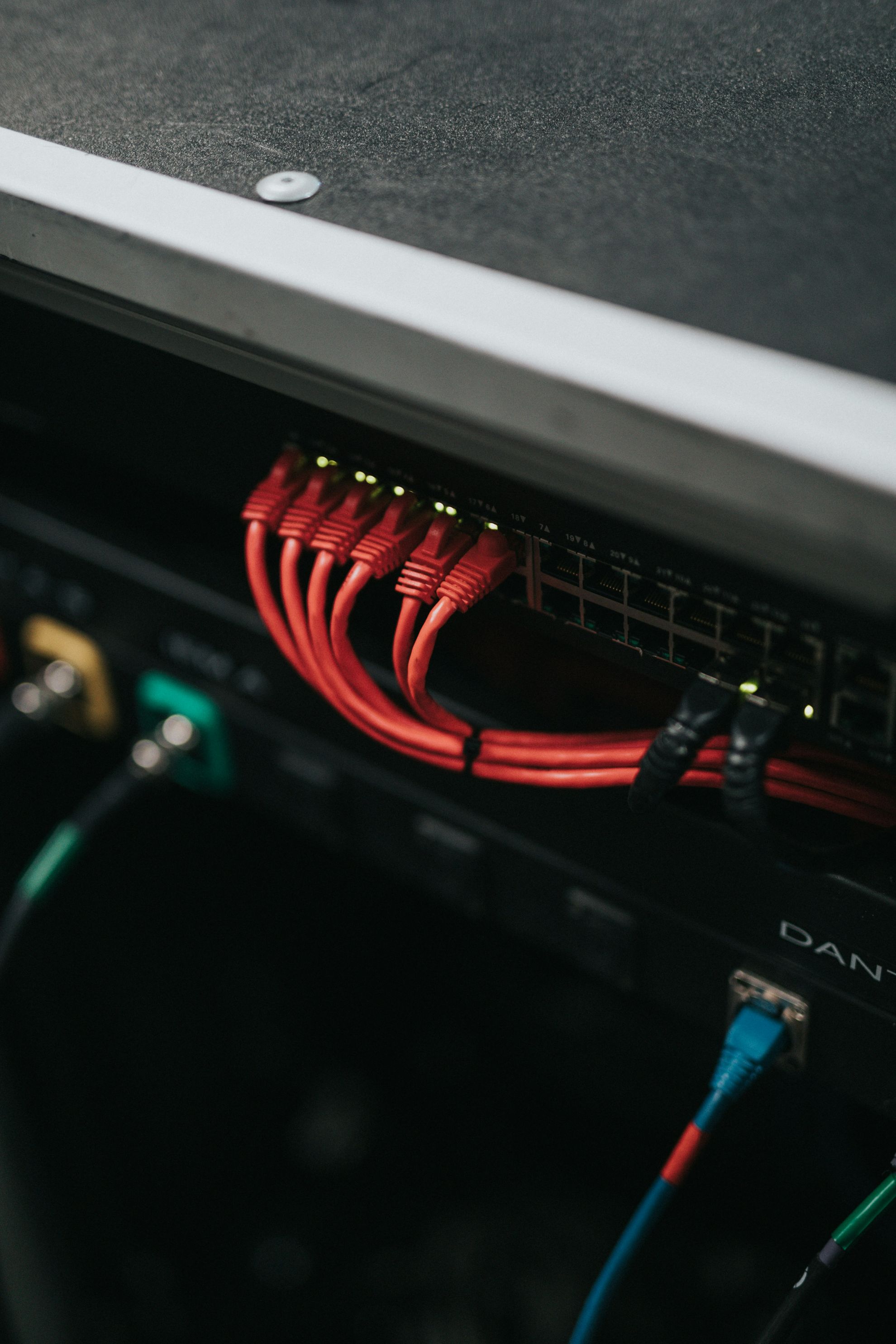
photo by Unsplash. A LAN arrangement at a home router.
text by Terry Bridge.
Security
I suppose that after we have established a secure Internet and home network ( more on this later ) our next concern would be security. Whether you are a six month visitor to your own home or a permanent resident, it makes sense to safeguard what may be a substantial part of your life savings.
There are several ways to secure your premises, but for me the best way is movement cameras with infra red either wired or wireless and linked to your mobile phone. You can link this to a cloud system if you don't mind the extra payment.
Don't go mad with putting cameras everwhere as it may overload the system. You can usually safeguard your place with as little as 4 cameras. This can very easily be done as DIY. Security companies will want you to install lots of cameras and sensors and their quote will reflect this, usually circa €5K.
It is sad to report that even in the villages of the Apokoronas we are having several burglaries all year round. If your house is vacant for six months it could be an easy candidate for the local bad boy.
One last thing, if you see a burglary going on, DO NO APPROACH THE PERPETRATOR - RING THE POLICE +30 28210 030601 Chania +30 281 027 4000 Heraklion.
I will put a list of up to date phone numbers on the Home page with all the regions' police forces, ambulance and fire.
I've never believed that the most expensive item is always the best. We are now blessed with so many reviewers on the Internet that it's quite an easy thing to ask them what's best. Or you could just ask AI.
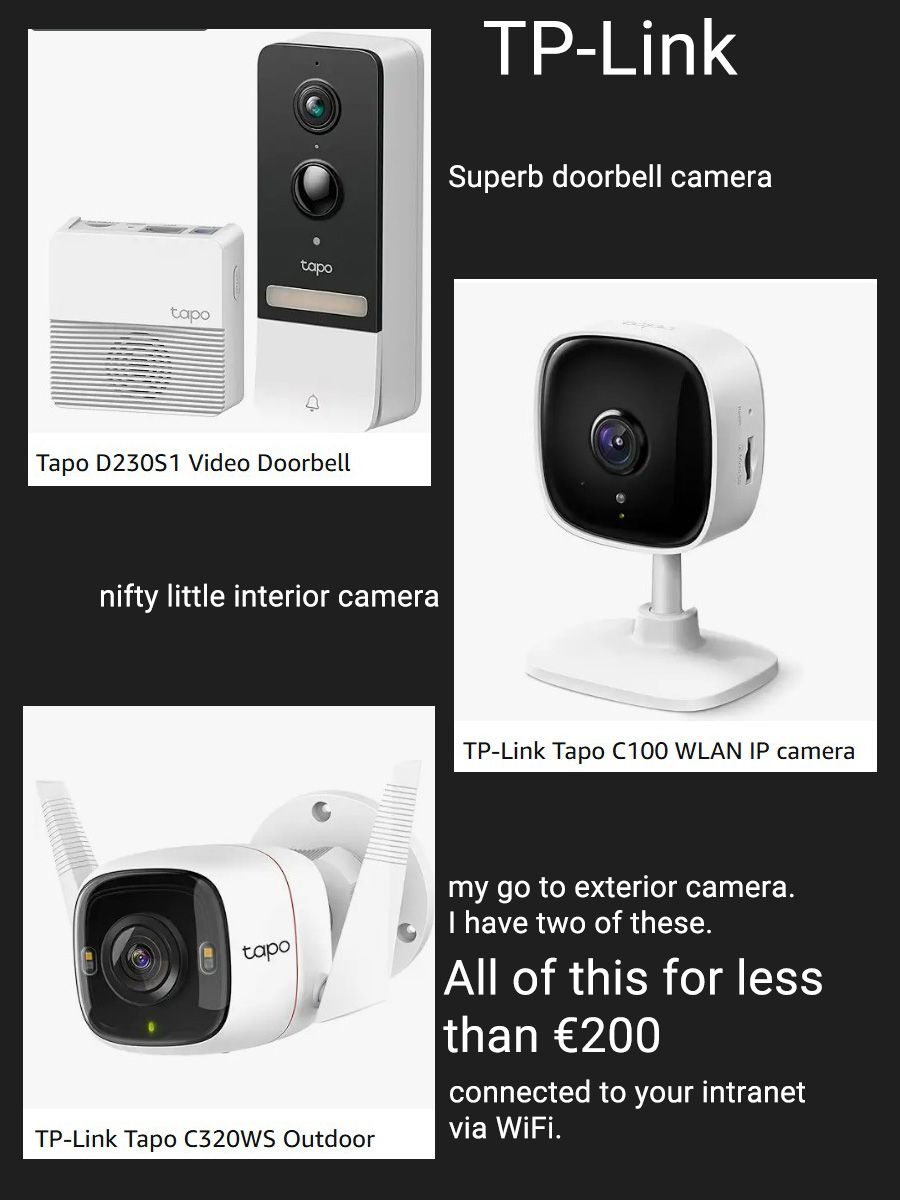
The system I like because of its simplicity is TP-Link. Their cameras give an excellent record, speech can be a bit distorted but even at n ight time the pictures are excellent.
I am using TP-Link for my Home Network so it integrates really well.
Of course another consideration is being able to purchase the equipment with ease. Well, Plaisio, a Cretan store, stocks all TP-Link equipment and of course Amazon.de if you don't mind the wait and cost of delivery. If you need help in designing a system I would be willing to help if you are not too far away. We gotta keep this guy away.
Text by Terry Bridge
Now, a reliable home network starts with understanding the devices that bring internet into your house and distribute it to your devices. Two common technologies that help with this are modem/router combos and powerline adapters. While they serve different purposes, both aim to make your internet connection more convenient and accessible throughout your home, especially for security cameras reliant on Wi-Fi.
Note that the Internet comes to you from your ISP ( Cosmote ?) not the other way round. Often a misconception.
Modem/Router Combo
A modem/router combo is a single device that combines the functions of a modem and a router. To understand this, it helps to know what each device does individually.
A modem connects your home to your Internet Service Provider (ISP). It translates the signal coming from your ISP (via cable, DSL, or fiber) into a digital signal that your devices can use. A router, on the other hand, distributes that internet connection to multiple devices in your home, either through Ethernet cables, powerlines or Wi-Fi. The router also manages local network traffic and assigns IP addresses to connected devices.
A modem/router combo, sometimes called a gateway, merges both functions into one unit. Instead of having two separate boxes connected by a cable, you have a single device handling everything. This simplifies setup and reduces cable clutter. For many households, especially those with basic internet needs like streaming, browsing, and online gaming, a combo unit is sufficient and convenient. If you signed up with Cosmote, whatever contract, you will have received one of these with a DSL telephone contact providing voice over internet.
There are several advantages to using a combo device:
-
Space-saving and less clutter: One device instead of two.
-
Easier setup: ISPs often provide and preconfigure combo units.
-
Lower upfront cost: Buying one device can be cheaper than purchasing a separate modem and router.
However, there are also some drawbacks:
-
Limited flexibility: If you want to upgrade your router for better Wi-Fi performance, you may have to replace the entire unit.
-
Performance limitations: High-end standalone routers often offer better range, speed, and advanced features.
-
ISP restrictions: Some providers lock down settings on their supplied devices. They can also throttle ( reduce ) the signal when they want to save bandwidth.
For small apartments or average-sized homes, a modem/router combo is often a practical and cost-effective solution. For larger homes or advanced users, separate devices may provide more customization and stronger performance.
Powerline Adapters
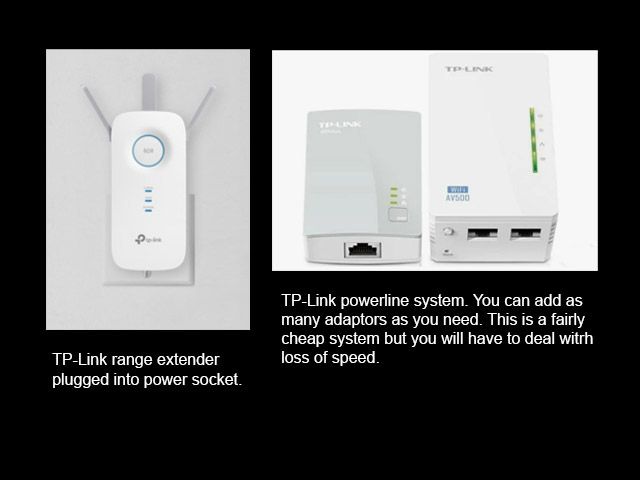
Powerline adapters are a different type of networking solution. Instead of sending internet through the air like Wi-Fi or through dedicated Ethernet cables, powerline adapters use your home’s existing electrical wiring to transmit data.
A typical powerline setup includes two adapters. One adapter connects to your router via an Ethernet cable and plugs into a wall outlet. The second adapter plugs into another wall outlet in a different room and provides an Ethernet port (and sometimes Wi-Fi) for devices in that area. The data travels through the electrical wiring between the two adapters.
Powerline technology can be especially useful in situations where:
-
Wi-Fi signals struggle to reach certain rooms.
-
Running Ethernet cables through walls is impractical.
-
Thick walls or multiple floors interfere with wireless performance.
Advantages of powerline adapters include:
-
Improved coverage: They can extend internet access to hard-to-reach areas.
-
Stable connection: Often more consistent than weak Wi-Fi signals.
-
Simple installation: Plug-and-play in most cases.
However, performance depends heavily on the quality and layout of your home’s electrical wiring. Older wiring, different circuits, or interference from large appliances can reduce speed and reliability. Powerline speeds are usually lower than direct Ethernet connections and may vary from room to room.
How They Work Together
A modem/router combo brings internet into your home and creates your local network. If certain areas have poor Wi-Fi coverage, powerline adapters can extend that network using electrical wiring. Together, they offer a practical solution: the combo device provides the connection, and powerline adapters help distribute it more effectively throughout your home.
Understanding these technologies helps you choose the right setup based on your space, budget, and performance needs.
BTW I do not receive any payment for advertising any product on the website, but I am going to expound the virtues once again of TP-Link. Their Wi-Fi extenders and powerline adaptors are so easy to use. TP-Link even give you an app for your mobile phone where you can see if everything is working as it should.
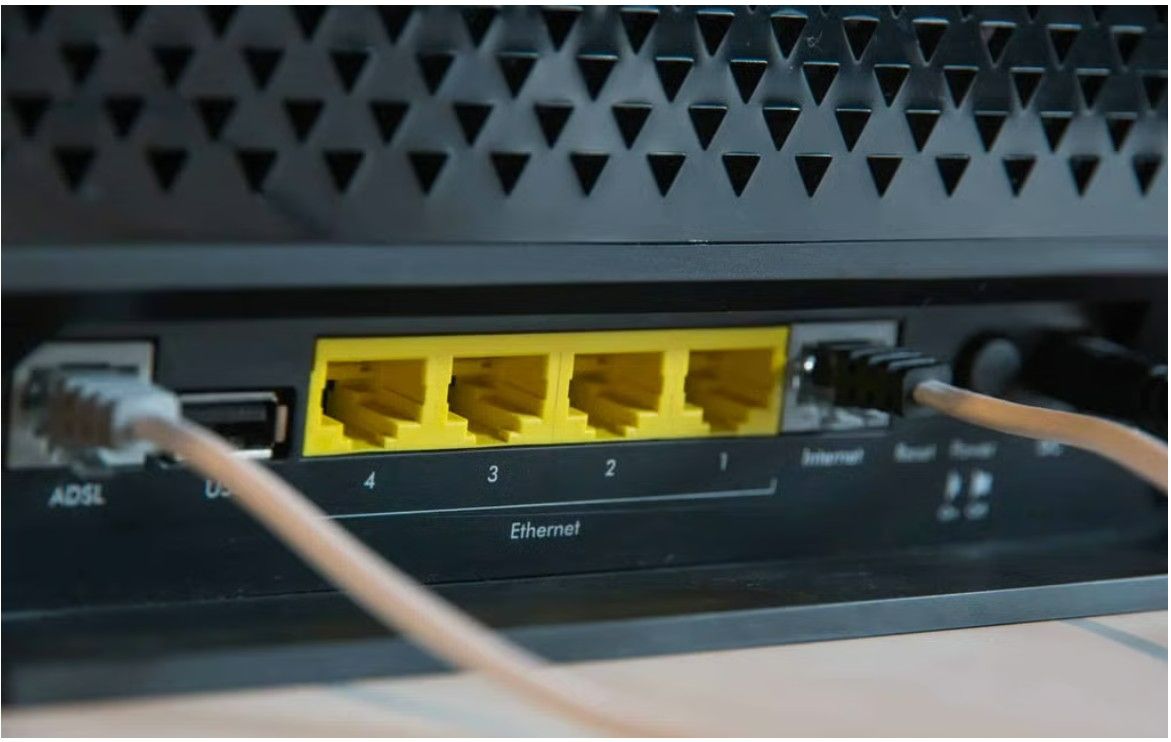 This image shows the back of a router with the internet cables from the ISP plugged in. The four yellow ports are what are called the LAN ports. LAN means local area network ie your Home Network. This is where you plug in cables from your TV, Powerline adaptor and any storage system, like Synology, that you may have. The plug in next to these ports is the WAN, wide area network, ie incoming Internet from the ISP.
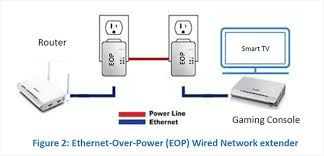
Afairly typical system showing how powerlines can be really helpful in extending the Internet around the house.
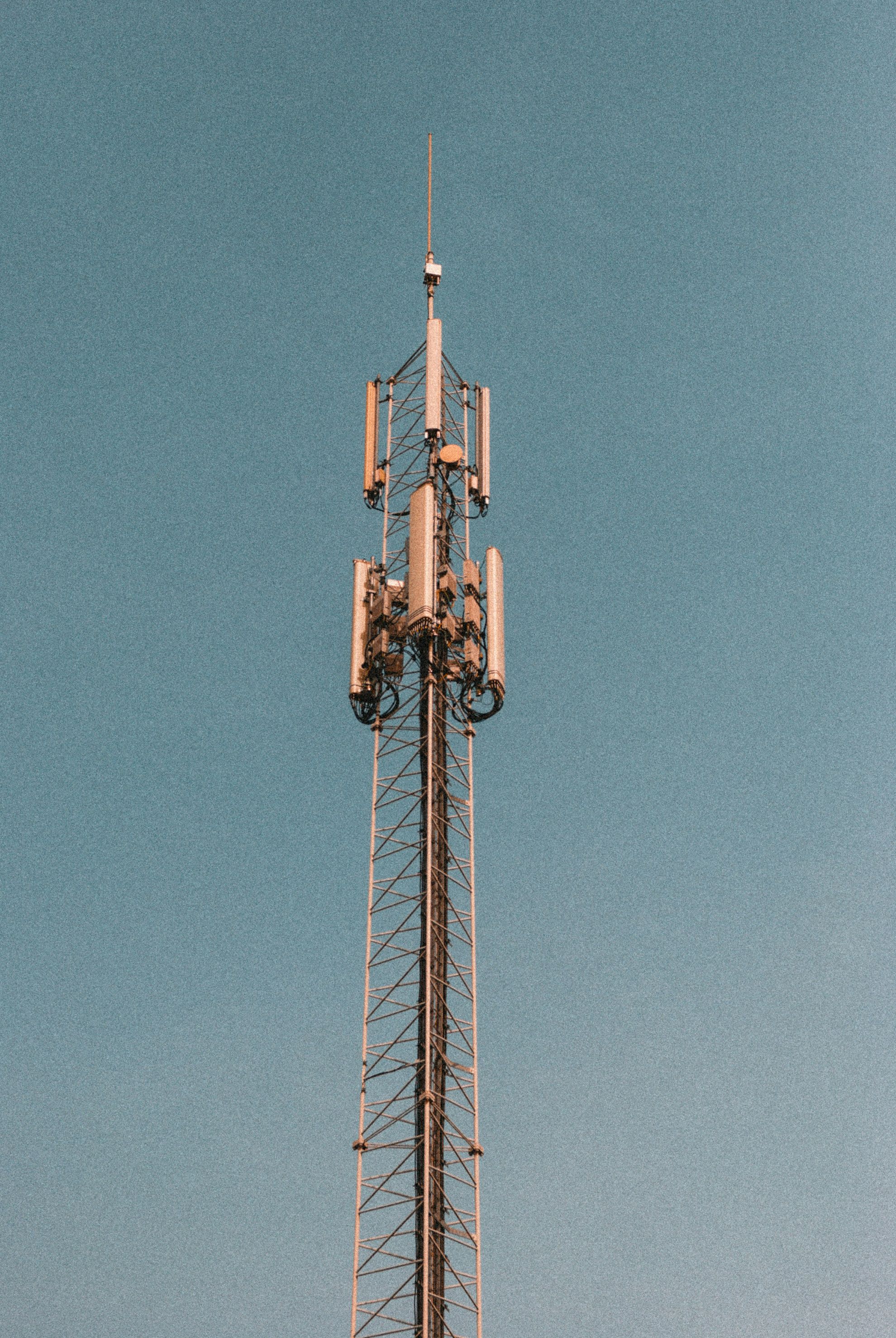
Since the advent of 5G, Cosmote have started using Mobile Telephony Networks, put simply, they send out the Internet from a base station featuring a mast or antenna and you have a receiver modem/router to receive the signal.
This is the system I have at home. The contract is Cosmote Gigamax and while we do have issues with mast failures the speed test can sometimes show the signal at 400+mbps.
I have a new streaming service that has no buffering whatsoever. More of that later.
You can buy all of these items at Plaisio in Chania.
Terry Bridge
Global Television
The global television landscape has undergone a profound transformation over the past two decades, shifting from traditional broadcast models to a diverse ecosystem of satellite, cable, and internet-based delivery systems. Nowhere is this evolution more evident than in regions like Crete, Greece, where geographic characteristics, tourism, and a growing expatriate population have created strong demand for both local and international television content.
Historically, satellite television has played a central role in Greece’s media environment, offering reliable, wide-reaching coverage across mainland and island regions regardless of local infrastructure limitations. Services such as Cosmote TV and Nova have provided access to domestic channels, premium sports, and international programming via direct-to-home (DTH) technology, making them especially relevant in areas like Crete where consistent broadband access was once limited. At the same time, terrestrial broadcasters continue to serve local audiences with region-specific news and entertainment, reinforcing the importance of localized media alongside global offerings.
In recent years, however, internet-based television—commonly referred to as IPTV—has rapidly expanded across Greece, including Crete. IPTV platforms deliver content via broadband connections, enabling viewers to access thousands of live channels and on-demand libraries on multiple devices without the need for satellite dishes or dedicated infrastructure. This model has proven particularly attractive to international residents and visitors, as it combines Greek programming with global channels, sports, and streaming content in a single, flexible service.
As a result, viewers in Crete today can choose from a wide array of global TV systems, each with distinct advantages in terms of accessibility, cost, content variety, and technological requirements. This review will explore these systems—satellite, IPTV, and hybrid platforms—examining their availability, performance, and suitability for different types of users in the Cretan context.
Terry Bridge.
And there we have it.
Amongst my friends I can think of 7 yes seven different TV systems that provide a similar service but quality of streaming should always be the prime factor. Some of these services are dependant on good bandwidth and high megabits per second.
- Nova. Eon's own online TV system. Expensive. Satellite.
- Cosmote TV. Once again, expensive and of course most of content is Greek. Satellite. No football channel anymore.
- Virus. A line of sight satellite system. Constant buffering and interruptions
- Several Independant Sat TV. Is dependant on Cosmote antenna adjacent Chania Airport. Affected by weather. Service disruptions.
- Cosmote Gigamax Satellite. Is dependant on Cosmote antenna at Chania. Affected by weather. Antenna servicing disruptions.
- Sky satellite has been stopped by Brexit.
- DSL from Cosmote. Other companies such as Vodafone can use the Cosmote architecture to give a service but if anything goes wrong you have to contact Cosmote. Cosmote DSL lines are the most used to access the Internet in Crete. In the cities these lines are being changed to glass fibre ( or optical fibre ) for very fast connections.
- Starlink. At present Elon Musk's satellite constellation is all the rage. He's removed the initial outlay for residential schemes. I haven't had a look at it yet but it sounds very good. He has thousands of small satellites low down so he gets lowest latency, a curse in streaming the Internet. Unfortunately their lifespan is only about 5 years before they burn up.
All the above are systems that send the internet to your home. Of course when that signal is directed to your TV you need something that can change the signal to speech and images.
There is only one device worth writing about, the Amazon Firestick 4K Max. Yes, they're expensive, over 80 euros, but they are the best. The firestick can be loaded with streaming apps that connect to the Internet via the incoming signal and stream your favourite channel.
There are many cheap ( under €100 ) paid for apps that when worked with a VPN ( Virtual Private Network ) can shield your global position and afford access to all the programmes from the main countries of Europe and America. At present it is not illegal to watch these streams or have the link on your computer. The illegal bit is the app supplier giving you access via his illegal servers. They take the risk but they take the money.
When my project page for technology is completed it will show you how to put all this together.
As I said before I use Cosmote Gigamax with an Amazon Firestick 4K Max with two free streaming apps, but I'm going to look into Starlink.
Terry Bridge